A Workday-connected time clock does not simply send punches into Workday. A production environment depends on information moving in both directions—employees, organizations, labor structures and configuration toward the workforce edge, and validated time and labor events back to Workday.
The Punch Is Only Half the Integration
When people picture a time-clock integration, they often imagine one simple transaction: an employee punches and Workday receives the punch. That is certainly part of the architecture. But before an employee can successfully perform that transaction, the collection environment may first need to know who the employee is, where the employee is authorized to punch, which jobs or labor values apply, which schedule or employee attributes matter, and which configuration belongs to that device or workforce population.
That information originates elsewhere. Between Workday and the employee interaction sits an integration layer responsible for keeping workforce context, devices and transactions synchronized.
Workday
System of record for workforce information and downstream time processing.
- Workers & assignments
- Organizations
- Jobs / labor structures
- Schedules where used
- Worktags / cost centers as designed
Workday Data Collection Layer
CirrusDCS coordinates the Workday-specific data path.
- Synchronizes required data
- Manages assignments/configuration
- Validates and routes events
- Surfaces processing exceptions
- Supports monitoring and recovery
Workforce Edge
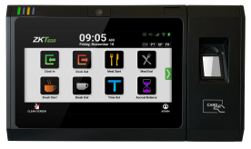
The employee interacts with a clock or another approved collection method.
- Identity
- Time event
- Labor selection
- Attestation / approved interaction
What Data Typically Moves Down?
Employee identity
The collection environment needs to know which workers are authorized to use it. Depending on the design, that can include employee identifiers, active/inactive status, location or organizational assignment and other workforce attributes required by the endpoint experience. If an employee does not exist locally or is assigned incorrectly, authentication can fail even though the employee is correctly configured in Workday.
Organization and labor information
Employees may need to select a job, department, cost center, project, position, labor code or other approved labor dimension. The objective is not to recreate Workday at the clock. It is to present only the information the employee needs to create the correct workforce event.
Schedule-related information
Some designs use schedule information for employee visibility or approved schedule-based controls. The collection layer does not necessarily need every scheduling object. It needs the subset required by the business workflow.
Configuration
The endpoint also needs to know how it should behave—who uses it, which functions appear, which authentication method applies, what time zone and language are appropriate, and which business or application settings belong to the population. Configuration data and workforce data are different, but both determine the employee experience.
Then the Workforce Event Moves Up
Once the employee interacts with the endpoint, the direction reverses. A transaction can represent more than a simple IN or OUT. Depending on the approved design, it may carry the employee, timestamp, event type, labor choice, department, cost center, attestation response, device or location context and other transaction attributes required by Workday processing.
The important principle is simple: the event delivered to Workday should accurately represent what occurred at the workforce edge.
Example: a department transfer
An employee starts the day in Department A but is reassigned to Department B for the afternoon. Before the transfer can happen correctly, the employee must exist in the collection environment; Department B must be available as an approved choice; the employee must be allowed to use it; the clock must display it; the employee must select it; and the resulting event must be processed and delivered to Workday.
If Department B was added or changed in Workday that morning but the required downstream synchronization has not completed, the employee may not see it. The clock can be functioning perfectly and the integration can technically be “up,” yet the employee still cannot perform the correct transaction. Data synchronization is part of the operating model—not merely an implementation detail.
What most buyers overlook: timing
The first integration question is usually what data moves? The second should be when does it move? A new hire may need to appear before the first shift. A same-day labor assignment may need to become available quickly. A schedule change may affect a supported control. Different objects can have different urgency.
Understand synchronization frequency, processing sequence, expected delay, dependencies, what is near-real-time versus scheduled, and what happens when a synchronization fails. “Integrated” does not mean every data object moves instantly.
Data Ownership Must Be Clear
A clean architecture answers one question for every major object: which system is authoritative? Workday may own the worker record and approved labor structures. The collection environment may own device assignments and endpoint configuration. The clock owns the original employee interaction. The integration layer manages movement, validation and delivery. When ownership is unclear, troubleshooting becomes difficult because more than one system may appear to be “right.”
Example: the missing employee
A new employee starts Monday and exists in Workday, but cannot punch at the clock. The root cause could be that the worker has not yet been included in the integration, the synchronization has not completed, the worker is assigned to the wrong population or clock group, the credential has not been enrolled, the endpoint has not received current data, or a communication problem interrupted synchronization.
The screen may only say “employee not found.” The real issue can exist at several layers. That is why operational visibility matters.
Error Handling Is Part of the Integration
A strong architecture should not be evaluated only when everything succeeds. Ask what happens when Workday does not accept an event or when the network or a dependent service is unavailable. A rejected transaction should not simply disappear. Operations should be able to see what was sent, when it was sent, what failed, why it failed, whether it can be corrected and whether it can be resubmitted.
What most buyers overlook: an online clock can still have a data problem
A clock can show excellent network connectivity while a downstream event is rejected. Workday can be available while a specific endpoint has stale employee data. Device monitoring is not the same as integration monitoring. A useful operating model needs visibility across device, application, integration and Workday—not simply “clock online / clock offline.”
Offline Adds Another Layer
If an employee punches while connectivity is unavailable, the transaction may need to be retained locally. When connectivity returns, the architecture should preserve the original timestamp, transmit the event without creating duplicates, surface processing failures and allow the organization to confirm successful delivery. That is where offline resilience and integration design meet.
A Practical End-to-End Test
| Test | What to prove |
|---|---|
| Add a worker | Create or activate an employee through the normal Workday process and verify that the worker becomes available at the correct collection point. |
| Change an assignment | Change a relevant job, department or labor value and verify that the endpoint receives the new information. |
| Perform a transaction | Complete a punch or transfer and validate the employee experience at the source. |
| Confirm delivery | Verify that the correct event appears in Workday with the expected time and labor context. |
| Create a failure | Interrupt connectivity or produce a known exception and confirm that the event remains visible. |
| Recover | Verify correction, resubmission or automated recovery and confirm that no transaction was duplicated or lost. |
Decision rule
Do not approve the integration because one punch reached Workday. Approve it when the team can explain—and prove—the complete lifecycle of required data moving down, workforce events moving up, and exceptions being identified and recovered.
Questions Workday buyers should ask
- Which Workday data objects are required by each collection workflow?
- Which system owns each data element?
- How frequently does each synchronization occur?
- How are newly hired employees and transfers made available?
- How are jobs, labor codes, cost centers or worktags filtered so employees see only relevant choices?
- How are workers assigned to the correct clocks or collection methods?
- What happens when a synchronization fails, and who can see it?
- What happens when Workday rejects a workforce event?
- Can rejected events be corrected and resubmitted?
- What happens while an endpoint is offline?
- How are original timestamps preserved and duplicate delivery avoided?
- How do we prove that every workforce event made it successfully from the employee to Workday?
Manage the Workforce-Data Journey—not Just the Punch Interface.
For Workday customers, CirrusDCS is ZKTeco WFM’s Workday-specific workforce data collection and integration layer. Its role can include worker and organizational synchronization, employee/device assignment, configuration, workforce-event processing, monitoring and delivery into Workday according to the approved design. That matches the practical shape of Workday Time Tracking: third-party time-clock events enter Workday as raw events that Workday can match into time blocks, while imported labor/worktag values can directly affect the resulting time record. The architecture is easy to remember: Workday context down → employee interaction → workforce event up. ZKTeco WFM adds value by managing the workforce edge between those directions—Ultima and TimeTrack present the employee experience, while CirrusDCS controls the Workday-specific exchange and operational visibility. The employee should experience a simple transaction; administrators should be able to explain where the data came from, where it is going and what happened if processing did not complete as expected.
A Workday time-clock integration is a managed, bidirectional workforce-data flow: context and assignments move toward the workforce edge; employee events move back into Workday. Reliability depends on knowing what moves, who owns each element, how quickly it changes and how failures are surfaced and recovered.
Do You Understand the Complete Data Path Between Workday and the Workforce Edge?
Talk with ZKTeco WFM about employee synchronization, labor data, device assignments, transaction delivery, monitoring and exception handling.
Map Your Workday Data Flow